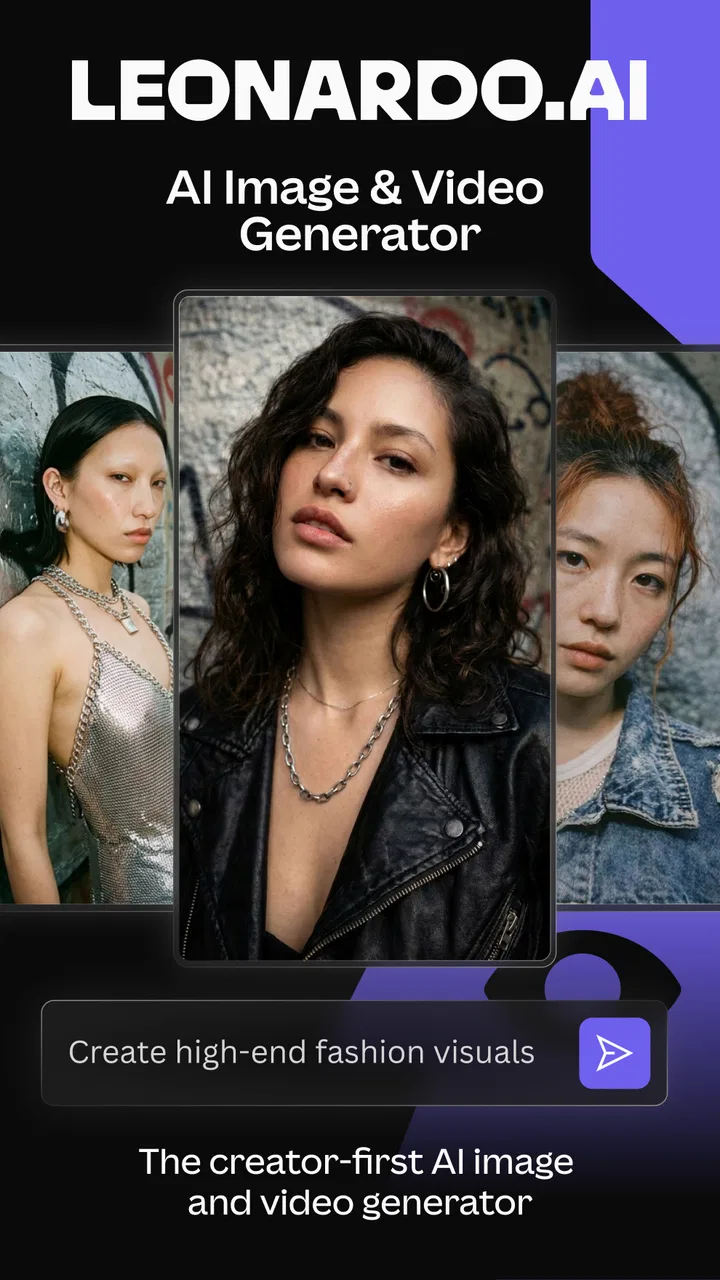
Leonardo.Ai - Image Generator
- 4.7
- Rating
- 10.00M
- Installs
- Free
- Price

 Analysis by App-foxy
I tried Leonardo.Ai as a mobile tool for creating AI-generated artwork, and my first impression was that it is aimed at people who want to move from a rough idea to a visual result without opening a full desktop design program. It sits in the Art & Design category, comes from Leonardo.Ai, and is free to install. That combination makes it easy to test, but the real question is whether the free experience is useful enough for your regular creative work.
My answer is yes, with an important qualification: this is more practical for exploration, concept work, social graphics, and quick visual experiments than for anyone expecting a complete replacement for professional illustration software. The app can help me get unstuck when I have a visual direction but no finished image, yet it still requires judgment, editing, and patience. The strongest results come from treating it as a creative partner rather than a button that produces perfect artwork on the first attempt.
How Leonardo.Ai feels in everyday use
The central experience is straightforward. I describe an image, choose the kind of result I want, and use the generated artwork as a starting point. That makes it approachable for beginners who may not know traditional drawing tools, while still giving experienced creators a fast way to explore several directions before committing to a design.
You May Also Like

 Blood Strike: 2.5 Anniversary
Blood Strike’s Loadouts Turn Every Drop Into a Tactical Gamble
A close look at Blood Strike’s custom loadouts: how fast access to signature weapons reshapes its battle royale rhythm, rewards preparation, and narrows the gap between fights.

 Pandora - Music & Podcasts
Pandora’s Music Is Easy to Start, but Harder to Recover
Pandora’s strength is its low-effort path from a seed to a station. Its weak spot is how much confidence it asks you to place in connection, setup, and quiet recovery.

 8 Ball Pool
 Is Built on Rivalries, Rematches, and Routine
A close look at the rivalries, rematches, shared routines, and unanswered safety questions that turn a quick pool match into a persistent mobile community.

 Samsung Music
’s Quiet Strength Is Playing What You Already Own
Its reach comes less from spectacle than from dependable access to a personal library. That simplicity is both the app’s strongest retention engine and its ceiling.

 AccuWeather: Weather Radar
AccuWeather Review: A Quick, Clear Forecast for Everyday Decisions
For everyday plans, the best forecast is the one you can understand quickly. AccuWeather makes rain timing, radar, and local conditions easy to act on, with a few trade-offs.

 Hill Climb Racing
Why Hill Climb Racing Still Turns Crashes Into One More Run
A tiny car, a bumpy hill and one more upgrade: Hill Climb Racing keeps resurfacing because its simple chaos makes every near-miss feel personal.
More From Our News Desk



In practice, the quality of the prompt matters more than I expected. A vague request can produce something attractive but unsuitable, while a more deliberate description gives me better control over the subject, mood, composition, lighting, and visual style. I found it useful to think like an art director: describe the main subject first, then the setting, the atmosphere, and the intended finish. If the image needs space for text, I also mention that rather than trying to force a busy image into a poster layout afterward.
That workflow is particularly helpful when I am preparing a social post, a mood board, a presentation illustration, or a fictional character concept. Instead of searching through stock-image libraries and accepting whatever is available, I can explore a visual idea that is closer to the brief. The app is not automatically better than stock photography or hand-made design, but it gives me a different kind of flexibility.
What the free access is really good for
The free price is the biggest reason to try it. I can install the app without making an immediate financial commitment, test whether its image style suits me, and decide whether it belongs in my regular workflow. That matters because AI image tools can feel impressive in demonstrations but less useful when applied to a person’s actual projects.
I would use the free access for learning the prompt style, testing visual directions, and producing occasional images. It is also a sensible option for someone who only needs artwork now and then and does not want another fixed subscription just to make a few experiments. The free entry point lowers the risk, although it should not be confused with unlimited professional production.
Paid value is a separate question. The app includes in-app purchases ranging from $9.49 to $459.99 per item, so the cost can vary substantially depending on what a user chooses. I would not buy anything before spending time with the free experience and identifying a genuine need. The sensible test is simple: if the app repeatedly saves me time or helps me create work I could not otherwise produce easily, a purchase may be worthwhile; if I am only collecting interesting images, paying more is difficult to justify.
Because the purchase range is broad, I would also think about usage frequency rather than focusing only on the entry price. Someone making occasional thumbnails has a different value calculation from a designer exploring many concepts every week. I would review the purchase details inside the app before committing, especially if I am working with a limited budget. The free installation is useful for evaluation, but the paid value depends on how much creative work I actually complete.
Where the app delivers practical value
The most useful benefit is speed during the early stage of a project. When I need several possible directions, generating concepts can be faster than drawing each one from scratch. I can compare a quiet editorial scene with a dramatic fantasy treatment, then use the strongest direction as a reference for further work. That makes the app valuable even when the final image is not used unchanged.
A realistic everyday example would be preparing a small event announcement. I might need a background showing a warm evening gathering, with enough calm space around the subject for a title and date. Rather than searching through dozens of stock images, I can describe the mood and composition, generate alternatives, and select the one that gives my layout the best starting point. I would still add the typography in a separate design tool, because generated imagery is not the same thing as finished graphic design.
Another strong use is private visual planning. I can create a rough appearance for a fictional setting, a product idea, a room renovation concept, or a character before spending time on polished work. This is where the app feels less like a final-output machine and more like a sketchbook that responds to language. The ability to make several visual attempts helps me discover what I actually want.
One non-obvious advantage is that failed generations can still teach me something. If the composition keeps placing the subject too close to the edge, that tells me the prompt needs clearer spatial instructions. If the mood is wrong, I can adjust the lighting and environment instead of rewriting the entire idea. I recommend changing one or two elements at a time; changing everything at once makes it difficult to understand which wording improved the result.
Prompt habits that make a noticeable difference
I get more consistent results when I separate the request into layers. First I identify the subject, then the action or pose, then the environment, and finally the visual treatment. For example, I might describe a small ceramic shop, a person arranging shelves, morning light, and a restrained editorial look. This is more useful than filling the prompt with a long list of disconnected adjectives.
I also avoid asking the app to solve too many jobs in one image. A scene with several people, complicated hand gestures, small readable labels, and a precise architectural layout gives the generator too many opportunities to go wrong. A better workflow is to create a strong overall concept first, then handle text, detailed corrections, or exact branding in another application.
For repeatable work, I keep a simple note of prompts that produce promising compositions. I can then change the subject while retaining the useful structure of the request. This turns experimentation into a reusable process rather than a series of random attempts. It is especially helpful when I want a consistent mood across several images, although I would still inspect every result individually instead of assuming that similar wording guarantees a matching series.
Another practical tip is to judge the image at the size where it will actually be used. A result that looks convincing as a phone preview may reveal awkward details when enlarged. Conversely, a minor imperfection may not matter in a small social thumbnail. This prevents me from rejecting useful artwork for flaws that will never be visible, while also stopping me from treating a rough image as ready for a large print.
The tradeoffs I noticed
The biggest limitation is unpredictability. AI generation can produce a beautiful composition while missing an important instruction, and a small prompt change can alter more than I intended. That makes the process enjoyable for discovery but frustrating when I need exact control. If the project depends on a precise logo, accurate product shape, consistent character identity, or perfectly readable wording, I would use a conventional design or illustration tool alongside it rather than relying on this app alone.
Fine editing is another consideration. The app is useful for creating and exploring images, but it should not be treated as a complete replacement for layers, vector paths, typography controls, or detailed retouching. I often see the best workflow as a combination: use Leonardo.Ai to generate the visual foundation, then move the result into an editor for cropping, color adjustments, text, layout, and final cleanup.
There is also a creative tradeoff. The faster it becomes to generate attractive images, the easier it is to stop at the first acceptable result. I get better work when I compare several concepts and ask what each one communicates, rather than choosing the most polished-looking image automatically. For a personal project that may be fine; for a client-facing design, I would spend time checking whether the image truly supports the message.
Beginners should also expect a learning curve, even though the basic idea is accessible. The difficult part is not pressing the generate button; it is learning how to describe visual priorities and recognize when a result is technically appealing but unsuitable. Users who want a fully automatic answer may become disappointed, while people who enjoy iteration will probably find the process more rewarding.
How it compares with familiar alternatives
Compared with stock-image apps, Leonardo.Ai offers more freedom to request a particular combination of subject, setting, and atmosphere. Stock libraries are often better when I need a realistic photograph of a real place, a recognizable public figure, or a commercially established visual style. They can also be faster when an exact image already exists and I do not need to experiment.
Compared with drawing and painting apps, this tool reduces the manual effort needed to establish a first concept. Traditional apps remain better when I want every line and color to be intentional from the beginning. They are also preferable for artists who enjoy direct control or need a carefully constructed final illustration. I see Leonardo.Ai as a complement to those tools, not a universal substitute.
Compared with template-based design apps, it is more useful for creating an unusual background or a tailored visual idea, while templates are usually better for arranging text, logos, and familiar business formats. My preferred workflow is to let the generator handle the imaginative image-making and let the design app handle communication and layout. Trying to make one application do both jobs can create unnecessary frustration.
Who is likely to get the most value
I recommend trying it if you are a content creator, student, hobby artist, writer, game-world planner, or small business owner who regularly needs original visual concepts. It is particularly appealing when the problem is not “I need a perfect finished illustration immediately,” but “I need to see several possible directions before I decide what to make.” The free installation makes that experiment relatively easy.
It can also suit people who are comfortable with a little trial and error. The strongest users will probably be those who can describe a scene clearly, compare alternatives, and finish the image elsewhere when necessary. If you already use an editor for text and layout, the app can fit naturally into that process rather than forcing you to replace your existing tools.
I would be more cautious if you need strict brand consistency, exact technical diagrams, reliable text inside images, or a repeatable character across a large project. I would also skip it if I wanted a hands-on drawing experience above all else. In those cases, a vector editor, painting app, stock library, or specialist design program may be the better first choice.
Device details and overall confidence
The app is intended for a Teen audience and supports Android version 7.0 or later. Its current version is 2.0.3, which is useful context for anyone checking compatibility before installing. Leonardo.Ai has already attracted more than five million installs, and its average rating is 4.7 from roughly seventy-four thousand ratings, with 929 reviews shown alongside that store presence. Those figures suggest strong interest, although popularity cannot guarantee that its workflow will match my own needs.
I would still judge it by a short personal test. Install it, create a few images for a real task rather than random prompts, and see whether the results reduce your workload. Try one simple scene, one image that needs a specific composition, and one concept you would normally search for in a stock library. That gives a much clearer answer than looking only at attractive examples.
My final view is positive but measured. Leonardo.Ai is a capable free starting point for AI artwork, and I find its greatest value in brainstorming, visual exploration, and creating tailored image foundations quickly. It becomes less convincing when exact control, polished typography, or dependable repetition matters more than speed.
I would install it and use the free access before considering any purchase. If it becomes part of a frequent workflow and consistently saves time, paid access may make sense within the available purchase range. If I only want occasional inspiration or need professional precision from beginning to end, I would keep it as an optional experiment and choose a conventional design tool for the main job. My buy-or-skip verdict: try it free, pay only when the results repeatedly solve a real creative problem.
FAQs for Leonardo.Ai - Image Generator
01What is Leonardo.Ai and how does it work?
Leonardo.Ai is an advanced image generation app that utilizes artificial intelligence to create stunning visuals from user inputs. By leveraging machine learning algorithms, it can transform text prompts into unique images, offering a creative tool for artists, designers, and hobbyists looking to explore digital artistry.
02Is Leonardo.Ai free to use?
Leonardo.Ai offers a freemium model, allowing users to access basic features at no cost. However, to unlock advanced functions and higher resolution outputs, users may need to subscribe to a premium plan. This ensures users can try the app before committing to a purchase.
03What devices support Leonardo.Ai?
Leonardo.Ai is available for both Android and iOS platforms, ensuring broad compatibility with most smartphones and tablets. Users should ensure their device meets the minimum operating system requirements, which are typically specified in the app's download page on Google Play Store and Apple App Store.
04Can I use Leonardo.Ai for commercial purposes?
Yes, users can use the images generated by Leonardo.Ai for commercial purposes, but it's important to review the app's terms of service and licensing agreements. These documents provide detailed information regarding the rights and limitations associated with commercial use of generated content.
05How does Leonardo.Ai ensure user data privacy?
Leonardo.Ai is committed to protecting user privacy by implementing robust security measures. The app's privacy policy outlines how data is collected, stored, and used, ensuring transparency. Users are encouraged to read this policy to understand how their information is safeguarded.
Pros
- User-friendly interface
- easy navigation.
- Fast image generation with high quality.
- Wide variety of styles and options.
- Regular updates with new features.
- Supports high-resolution exports.
Cons
- Requires a stable internet connection.
- Limited free version features.
- Can be resource-intensive on older devices.
- Occasional lag on complex tasks.
- Subscription needed for advanced tools.

Leonardo.Ai - Image Generator
Gallery